
Organizing a Home Office That Stays Functional Under Daily Use

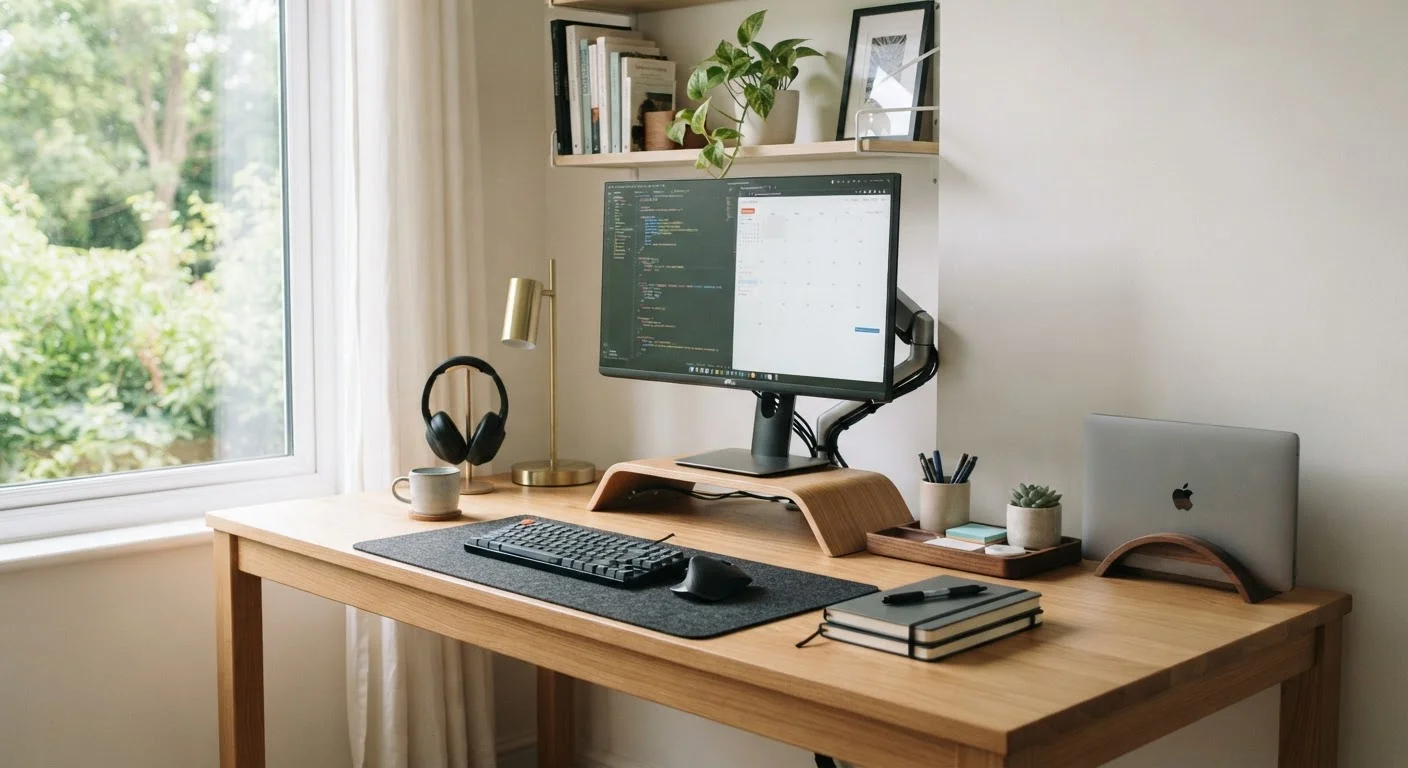
Photo: UnlockTopics.com | Unlocking Trending Content editorial
Key Takeaways
- A system that works on Monday must still work on Friday - design for daily friction, not ideal conditions.
- Friction-free returns for every item are more important than perfect organization at the start.
- Cable management and surface-clearing habits prevent the most common desk deterioration patterns.
- Small daily resets (under five minutes) are more effective than infrequent deep-clean sessions.
- Shared home offices require explicit agreements, not just clever storage.
Why Most Home Offices Fall Apart by Week Two
Setting up a home office feels satisfying. Everything has a place, the desk is clear, and the cables are tucked away. Then real work begins - deadlines pile up, reference papers accumulate, chargers migrate - and within days the system has quietly collapsed.
The problem is rarely willpower. It's that most office setups are designed for how a workspace looks, not how it's actually used. As this breakdown of why tidy homes unravel explains, clutter typically returns because the underlying system doesn't accommodate real behavior - only idealized behavior.
A functional office under daily use needs to absorb the mess of working, not resist it. That requires thinking about friction: how easy is it to put something back, clear a surface, or find what you need mid-task?
Give every item a fixed home within its natural use zone
Limit your desk surface to active-task items only
Handle paper in a single daily pass, not in the moment
Anchor cables permanently with a clear routing plan
Design your storage for the way you actually work, not the way you intend to
Schedule a five-minute weekly audit rather than a monthly overhaul
The Practices That Actually Hold Up
These aren't one-time setup tasks. They're structural choices that make a home office self-correcting over time - easier to maintain than to let slide.
Managing Cables, Surfaces, and the Slow Creep of Clutter
Two things reliably kill a home office setup: unmanaged cables and surfaces that become default drop zones. Neither requires an expensive fix - but both require a deliberate one.
For cables, the goal is to reduce the number of visible decisions. When every cord has a fixed route and anchor point, it stops being something you deal with and becomes something you don't notice. Velcro ties, adhesive cable clips, and a power strip mounted under the desk surface all reduce visible chaos without requiring professional installation.
Surface creep - the slow accumulation of items that don't belong on a desk - happens because there's no easier alternative. If returning a stapler to a drawer requires opening three things, it'll stay on the desk. Give every frequently used item a home within arm's reach but off the primary work surface. The vertical storage guide offers practical approaches for adding that capacity without expanding your footprint.
Lighting is also worth addressing structurally. Poor lighting leads to physical discomfort and unconscious avoidance of the workspace. How to layer natural and artificial light across a full working day makes a measurable difference in how long you can comfortably use the space.
Ergonomics and organization work together
When the Office Is Shared or Doubled Up
A home office that doubles as a guest room, or that two people use at different times, needs explicit agreements - not just clever storage. Without them, one person's system becomes another person's obstacle.
The simplest approach: assign zones rather than items. Each person or function gets a defined area of the desk or storage, and objects don't cross those lines. This is especially important when tidiness standards differ - something this guide to shared spaces covers in practical detail.
For spaces that switch functions entirely (office by day, guest room at night), a rolling cart or closed cabinet that contains all work materials makes the transition faster and keeps setup time from becoming a deterrent to actually using the space.
57%
Remote workers reporting workspace affects productivity
A survey by Fellowes found that more than half of workers believe their physical workspace environment directly affects their output and focus.
4-5 min
Average time lost searching for a misplaced item
Workplace efficiency research consistently estimates that the average knowledge worker loses several minutes per incident to locating misplaced items, adding up across a work week.
Building a Reset Habit That Sticks
Deep-cleaning a home office once a month is far less effective than spending four minutes at the end of each workday returning things to their place. The math is simple: small daily resets prevent accumulation, while infrequent overhauls just restore a baseline you'll drift from again.
A useful frame: treat end-of-day reset as a transition ritual between work mode and home mode, not as an additional chore. Close tabs, clear surfaces, coil cables, file or stack papers. This research-supported connection between structured routines and mental well-being is worth understanding - the end-of-day reset isn't just about tidiness; it supports cleaner cognitive separation between work and rest.
If you're also thinking about the physical side of desk work, small adjustments that reduce extended sitting pair naturally with a well-organized workspace. And for a broader organizing framework that applies room by room, home organization from first principles offers a thorough starting point.
The content on this site is for informational purposes only and is not a substitute for professional advice. Always consult a qualified professional for guidance specific to your situation.