
Android and iOS: A Side-by-Side Look at How They Handle Privacy

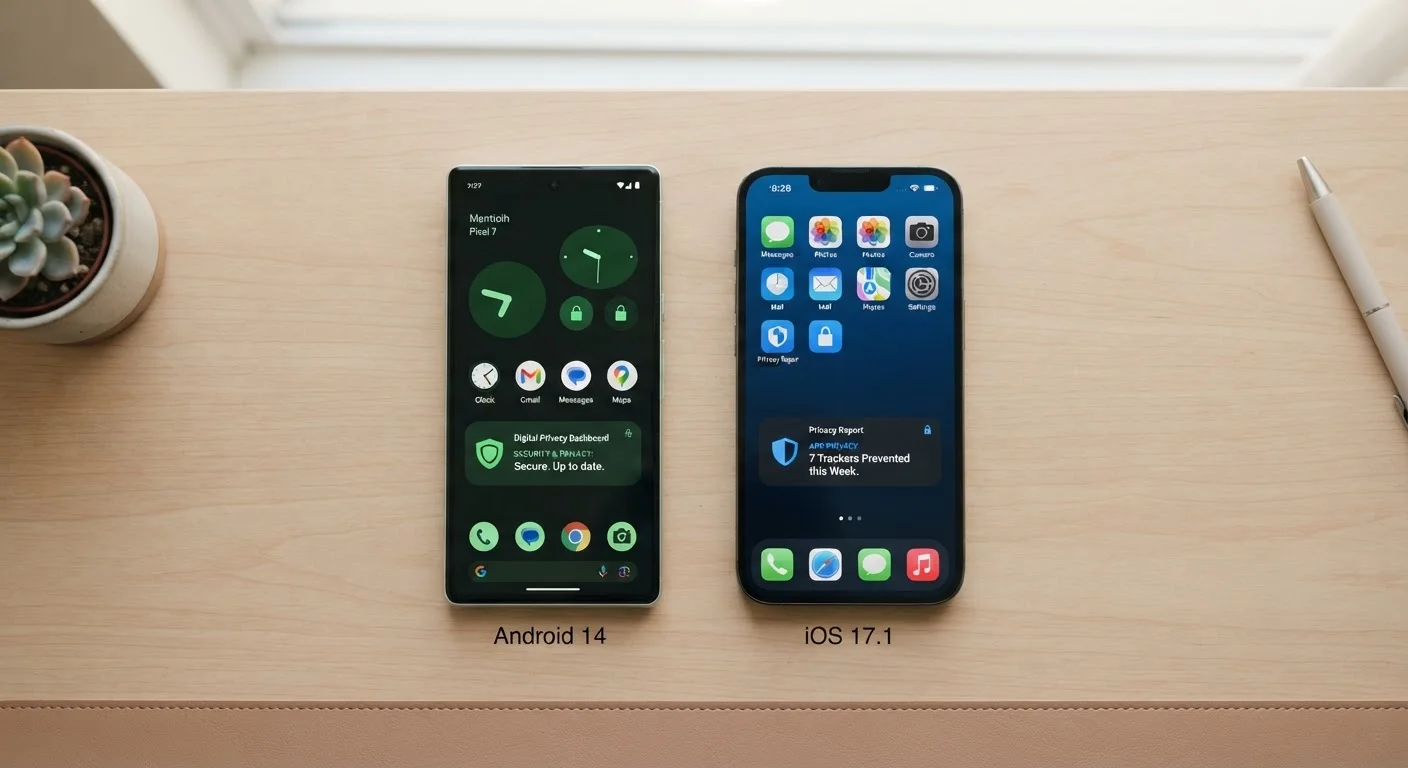
Photo: UnlockTopics.com | Unlocking Trending Content editorial
Key Takeaways
- iOS enforces stricter app permission prompts by default; Android offers more granular but manual control.
- Both platforms now provide App Tracking Transparency or equivalent features, but implementation differs.
- Android's open ecosystem means privacy protections can vary significantly by device manufacturer.
- iOS keeps most data processing on-device; some Android features rely more heavily on cloud processing.
- Neither platform guarantees complete privacy — user habits and app choices matter on both systems.
How Each Platform Thinks About Privacy
Privacy isn't a single switch — it's a philosophy baked into how an operating system is built. Android and iOS approach that philosophy from fundamentally different starting points, and understanding those differences helps you make smarter decisions about how you use your phone.
iOS, developed by Apple, operates within a tightly controlled ecosystem where Apple governs both the hardware and the software. This allows Apple to enforce consistent privacy standards across all devices running iOS. Android, developed by Google and used by dozens of manufacturers, is an open-source platform. That openness brings flexibility, but it also means privacy protections can vary depending on which device you own and which version of Android it runs.
Neither approach is inherently superior — they reflect different trade-offs between control, convenience, and customization. What matters is knowing what each system does by default and what requires your active involvement. For a broader look at how your phone makes decisions behind the scenes, see how smartphones decide what to show you first.
App Permissions: Who Gets Access to What
One of the most visible privacy differences between the two platforms is how they handle app permissions — the access apps request to things like your location, microphone, camera, and contacts.
| Criterion | Android | iOS |
|---|---|---|
| Default privacy stance | Flexible; varies by manufacturer | Restrictive by default, system-wide |
| App permission prompts | Present in recent versions; varies by OS version | Mandatory, system-generated on all devices |
| Location access options | Precise, approximate, or while-in-use | Precise, approximate, or while-in-use |
| Cross-app tracking control | Privacy Sandbox (evolving) | App Tracking Transparency (ATT) prompt |
| On-device processing | Available on select devices (e.g., Pixel) | Broadly available across Apple devices |
| App sideloading | Supported (with risks) | Restricted (not standard) |
| Consistency across devices | Varies by manufacturer and OS version | Consistent across all Apple hardware |
iOS requires apps to ask for permission the first time they need sensitive data, and displays a clear explanation of why the app needs it. Users can approve, deny, or limit access (for example, sharing only approximate location instead of precise coordinates). These prompts are system-generated, meaning apps can't customize or bypass them.
Android has moved in a similar direction in recent versions, introducing one-time permissions and the ability to grant location access only while an app is actively in use. However, because Android runs across many manufacturers and software versions, not every user has access to the same permission features — it depends on the Android version their device supports.
96%
iOS users who opted out of app tracking
According to Flurry Analytics data from shortly after Apple's ATT framework launched, the majority of iOS users declined cross-app tracking when prompted.
3 billion+
Active Android devices worldwide
Google has publicly reported over three billion active Android devices, reflecting the platform's wide global diversity in hardware and software versions.
Both platforms allow you to review and revoke permissions at any time through your device's settings. Making a habit of auditing those permissions periodically is one of the most practical privacy steps any smartphone user can take.
Tracking, Advertising, and Data Collection
App tracking — where advertisers follow your activity across different apps and websites — has become a central privacy concern. Both platforms have introduced tools to address it, though they work differently.
Apple introduced App Tracking Transparency (ATT), which requires apps to explicitly ask users for permission before tracking their activity across other companies' apps and websites. Users see a prompt and can opt out with a single tap. This applies to all apps in the App Store.
Google has developed its own approach through the Privacy Sandbox initiative on Android, which aims to limit individual tracking while still allowing interest-based advertising. Rather than eliminating ad targeting, this system processes interest categories on the device itself rather than sending raw behavioral data to ad networks. This is an evolving area, and the specific tools available may vary by Android version and region.
Privacy Labels and App Store Disclosures
It's also worth noting that Google's core business model is built around advertising, which creates a structural tension with deep data minimization. Apple earns the majority of its revenue from hardware and services, which gives it different incentives around data collection — though that doesn't mean Apple collects no data at all.
On-Device Processing vs. Cloud Reliance
Where your data is actually processed matters as much as who can see it. iOS has made a deliberate push toward on-device processing — meaning sensitive tasks like face recognition for photo sorting, Siri voice processing, and health data analysis happen on your phone rather than being sent to remote servers. This reduces the risk that your data is exposed if a cloud system is breached.
Android has made progress here too, particularly on Pixel devices where Google has invested in on-device AI features. However, many Android features — especially those tied to Google's broader services like Search, Maps, and Assistant — involve cloud processing by design. The experience varies across Android manufacturers, some of whom add their own cloud-connected services on top of Google's base layer.
If you're thinking about switching platforms or setting up a new device, our guide on setting up a new smartphone without losing your old life walks through how to carry your data over safely. And if a child will be using the device, smartphones and children: what parents are worth thinking through is worth reading before you configure any settings.
The content on this site is for informational purposes only and is not a substitute for professional advice. Always consult a qualified professional for guidance specific to your situation.