
Wi-Fi, Bluetooth, Zigbee, and Z-Wave: The Wireless Protocols Powering Your Home

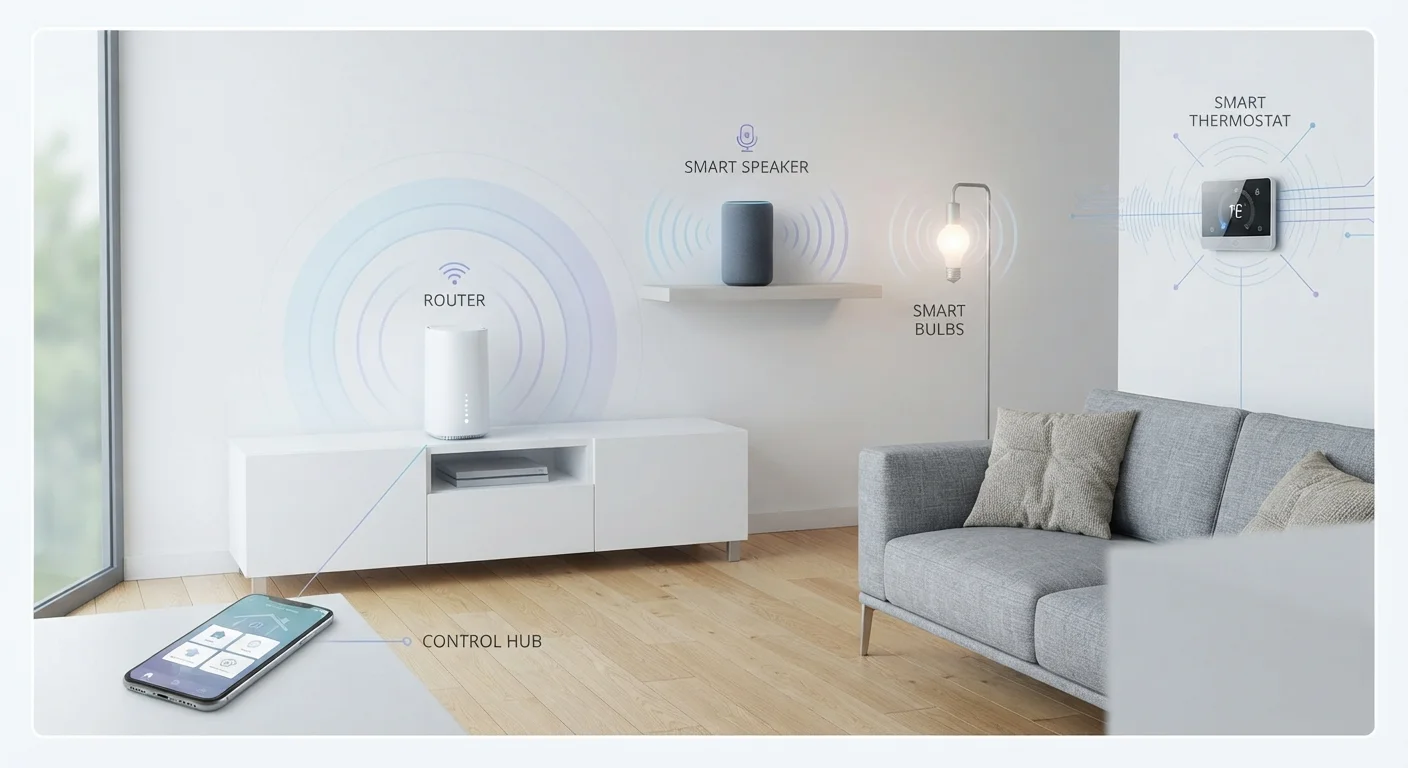
Photo: UnlockTopics.com | Unlocking Trending Content editorial
Why Wireless Protocols Matter
When you install a smart bulb, a security camera, or a door lock, that device needs a way to communicate — with your phone, your router, or other gadgets in the house. The method it uses is called a wireless protocol: a set of rules governing how devices talk to each other. The protocol a device uses affects its range, battery life, reliability, and which other products it can work alongside.
Most households run more than one protocol without realizing it. Your smart TV might use Wi-Fi. Your wireless earbuds use Bluetooth. Your smart thermostat might use Zigbee. Understanding the differences helps you avoid compatibility headaches — and makes it easier to build a home setup that actually works reliably. For a broader look at how connectivity plays out across your devices, see how your phone manages different connections.
| Wi-Fi typical range | Up to ~150 ft indoors (Varies by router and building materials) |
| Bluetooth LE typical range | ~30 ft (line of sight) (Walls and interference reduce effective range) |
| Zigbee network type | Mesh — devices relay signals to each other (Requires a compatible hub) |
| Z-Wave operating frequency (US) | ~908 MHz (Sub-1 GHz avoids Wi-Fi and Zigbee interference) |
| Z-Wave max devices per network | 232 (Z-Wave Alliance specification) |
| Matter standard | Works on top of Wi-Fi, Thread, and Bluetooth (Developed by the Connectivity Standards Alliance) |
The Four Main Protocols Explained
Here is what each of the four most common home wireless protocols actually does — and where each one fits best.
Wi-Fi
Wi-Fi connects devices to your home router over either the 2.4 GHz or 5 GHz radio band. It delivers the highest data speeds of any home protocol, making it the natural fit for devices that stream video, process images, or need a constant, fast connection — think cameras, smart TVs, and video doorbells. The trade-off is power consumption: Wi-Fi draws considerably more energy than lower-power protocols, so battery-operated sensors rarely use it. Every Wi-Fi device also puts a small load on your router, and homes with dozens of connected gadgets can experience congestion. Your router's quality and placement matter a great deal here.
Bluetooth and Bluetooth Low Energy (BLE)
Bluetooth is designed for short-range, device-to-device communication — typically within 30 feet or so, though walls reduce that range. Classic Bluetooth suits audio devices. Bluetooth Low Energy (BLE) is a lighter variant optimized for sensors and wearables that run on small batteries for months at a time. BLE sacrifices raw speed for dramatically lower power draw. One limitation: standard Bluetooth generally requires your phone to be nearby, making it less suited to whole-home automation without additional hardware.
Zigbee
Zigbee is a low-power, low-speed protocol built specifically for smart home devices. Its key advantage is its mesh networking capability — each Zigbee device can relay signals to others, so the network grows stronger as you add more gadgets. Zigbee operates on the 2.4 GHz band but uses far less power than Wi-Fi, making it a common choice for smart bulbs, sensors, and outlets. It does require a hub (a separate device that bridges Zigbee to your router), which adds a setup step but also keeps Zigbee devices off your main Wi-Fi network.
Z-Wave
Z-Wave is also a mesh protocol designed for smart home use, but it operates on a sub-1 GHz frequency (around 908 MHz in the US), which means its signals pass through walls more cleanly and avoid interference with Wi-Fi and Zigbee. Z-Wave is frequently found in security systems, smart locks, and environmental sensors. Like Zigbee, it requires a compatible hub. Z-Wave networks are limited to 232 devices — plenty for any home — and the Z-Wave Alliance maintains strict certification standards, which has historically meant stronger interoperability between products.
Wireless protocol
A standardized set of rules that determines how two wireless devices communicate — including frequency, range, data format, and security. Different protocols optimize for different priorities like speed, power, or range.
Mesh network
A network architecture where each device can pass signals along to others, extending coverage without a direct line to a central hub. Zigbee and Z-Wave both use mesh networking to reach devices far from the router.
Bluetooth Low Energy (BLE)
A variant of Bluetooth optimized to consume very little power, allowing sensors and wearables to run on small batteries for extended periods. It trades raw data speed for energy efficiency.
Hub
A dedicated device that bridges one wireless protocol (such as Zigbee or Z-Wave) to your home's IP network and router. Without a hub, those devices cannot be controlled remotely or integrated with apps.
Matter
An interoperability standard maintained by the Connectivity Standards Alliance that allows smart home devices from different manufacturers to work together. It runs over existing protocols rather than replacing them.
2.4 GHz vs. 5 GHz band
Two radio frequency ranges used by Wi-Fi and other protocols. The 2.4 GHz band travels farther and penetrates walls better; the 5 GHz band supports faster speeds at shorter distances. Zigbee also uses 2.4 GHz, which can cause interference if not managed.
Choosing the Right Protocol for Your Home
In practice, most households will use a mix of protocols rather than committing to just one. Streaming devices and cameras will gravitate toward Wi-Fi. Wearables and portable speakers will use Bluetooth. Sensors, bulbs, and switches are often better served by Zigbee or Z-Wave — both of which reduce congestion on your main network while delivering reliable low-power performance.
A newer standard called Matter is gradually gaining traction as a unifying layer that allows devices across different ecosystems to work together more reliably, but it does not replace the underlying protocols — it runs on top of Wi-Fi, Thread (a protocol similar to Zigbee), and Bluetooth.
You Don't Have to Pick Just One
If you are planning a more connected home, understanding how smart devices work together is a useful next step before purchasing. And before committing to a single ecosystem, it is worth reviewing what compatibility and lock-in risks to watch for.
4+
Wireless protocols commonly found in a single household
Many homes run Wi-Fi, Bluetooth, Zigbee, and Z-Wave simultaneously across different device types.
232
Maximum devices on a single Z-Wave network
Per the Z-Wave Alliance specification — enough to cover even heavily automated homes.
The content on this site is for informational purposes only and is not a substitute for professional advice. Always consult a qualified professional for guidance specific to your situation.